
Trackable QR Codes for Print Campaigns

Table of Contents
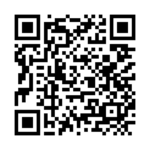
An exhibition stand and a brochure can both send people to the same page. A fortnight later, when the client asks which one brought in enquiries, the landing page total won't tell you. The stand may have caught more attention on the day, while the brochure gave people something to come back to once they were at their desks. Those are two different jobs, and you'd want to know how well each one worked before deciding what to spend on the next event.
With trackable QR codes in Visaro, you can give each piece of print its own code and see what people do on the website after using it. The event team can compare the stand with the brochure, the marketer can see which pages visitors went on to read, and the account manager has something more useful to report than a total scan count. You can also change where an active code sends people without replacing the code on print you've already paid for.
Give Each Piece of Print Its Own Code
In Visaro Agency Intelligence, you create QR codes under Tracked Links. Give each placement a name you'll recognise later, such as 'Spring trade show stand' or 'Spring trade show brochure'. Both can send visitors to the same page on the client's tracked website. Visaro passes the placement details to the tracker, so you can tell the two routes apart without building separate landing pages.
Think about what you might actually change once you've seen the results. If the client is deciding whether to keep including a product card in outgoing orders, give that card its own code. If they're choosing between a counter display and a poster, label each separately. There's little reason to create a different code for every box of brochures unless you need to compare where those batches were distributed. The more clearly the placements correspond to real decisions, the easier the figures will be to use.
Visaro lets you add colours, a logo and a short instruction, then export the artwork as PNG or SVG. 'See the product in use' tells people more than 'Scan here', and it gives the designer and the person building the landing page the same brief. You can save the artwork settings against the placement if you need to use the code again.
What Happens After Someone Opens the Code
The first figure you'll see is QR Opens. It records use of the QR link, not the number of people who pointed a phone at the artwork. The same person can open it more than once, and a preview or automated request can also be counted. Visaro shows flagged automated activity separately so your team can see why it shouldn't treat every open as a visitor.
Tracked Visits tell you how many destination sessions were recorded by Visaro Agency Server. From there, you can look at the pages people went on to view and the actions the site is set up to measure. Converted Visits show tracked visits with a recorded form submission or a matched goal. That might be a request for a product demonstration, if that's the action you're measuring. Check what counted before describing the number as enquiries: a goal could instead be a download or another action that doesn't put anyone in touch with sales.
The three figures answer different questions. Did people open the link? Did the tracker record them on the site? Did the visit include a measured action? Choose the last of these based on what you asked the campaign to do. The GOV.UK Service Manual takes a similar approach to measurement: decide what success looks like before choosing how to measure it. If the brochure is there to generate requests for a demonstration, it's worth agreeing how those requests will be recorded before the first batch goes to print.
What This Could Look Like in Practice
Say an agency is helping a manufacturer launch a new product at a trade show. The stand and the brochure each have a QR code labelled 'See the product in use'. Both take people to a page with a demonstration video, a specification sheet and a form for booking a call. The client also sends a follow-up email with its own campaign link, so the team can distinguish email visits from visits through the brochure code.
In this illustrative example, the stand code records 120 opens, 72 tracked visits and 9 converted visits. The brochure records 85 opens, 55 tracked visits and 11 converted visits. For this comparison, the booking form is the only action counted as a conversion. The stand brought more recorded visits, but more visits from the brochure included a form submission. Reporting only opens would have put the stand ahead without telling the client which placement was associated with more enquiries.
The journeys give the team somewhere to look next. Suppose stand visitors often went straight to the specification sheet, while brochure visitors tended to read more about the product before opening the form. The agency could test bringing the specification link higher up the page for people looking for a quick answer at the stand. The account manager could recommend keeping the brochure for the next show while collecting more evidence. The numbers don't prove that one design was better: the two placements were seen in different circumstances, and without knowing how many people saw each one you can't calculate a response rate for the print itself.
Read Print Alongside Email and Other Campaign Activity
QR placements sit alongside the other tracked links in Agency Intelligence. Keep the campaign name consistent and give each route to the page a label that makes sense to the people who will read the report. For online campaigns, source, medium and campaign tags are an established way to describe where traffic came from. You can use those on email or paid links and use QR placements for the printed materials. When you compare performance, use the same date range, goal definition and equivalent website measures. Don't put email clicks in the same column as QR converted visits.
It's also worth keeping the original route in perspective. A buyer may first see the stand, take away a brochure, then book through the follow-up email. The recorded route helps you explain how a particular visit arrived; it doesn't tell you which single touchpoint persuaded the buyer. When the client asks whether to cut the brochure, that context is more useful than giving all the credit to the last recorded link.
For sales follow-up, a public QR code does not identify the visitor or create a person record. If someone submits a recognised form and gives their details, the team can review the captured identity and relevant activity rather than guessing who used the code. For a printed proposal or a pack you're sending to an existing contact, you can also create a person-assigned code with an expiry. Treat that as context about which link was used, not proof that the intended recipient used it. They could have passed the pack to a colleague.
Change the Destination Without Reprinting
The address printed in the code stays the same while you update the destination within the tracked site. For the manufacturer, that could mean sending people to a trade show booking page during the event, then to the same product's demonstration request page once the show has ended. The client can keep handing out the remaining brochures, provided the new page still delivers what the print promised.
Visaro retains the placement's history when you change the destination, so you can check what was live when you review results. If you change the offer or the conversion goal as well as the page, split the comparison at that date rather than presenting the whole period as one test. Keep the original entry address available and the code active for as long as the material is in circulation. Saving a new design won't change copies you've already distributed, and retiring the code stops it routing without wiping the recorded activity.
Test the Artwork and the Visit Before Printing
A code can open through a stable page on the client's own domain or through the configured agency or Visaro address. For client-domain routing, the entry page needs to keep the QR link's query value and load the Visaro tracking script. It doesn't require the WordPress connector and can work on other platforms that support that setup. The destination still needs the tracker to record visits and conversions, subject to the site's tracking and consent settings. A successful test of the redirect alone doesn't tell you that the form or goal is being recorded.
Give the designer time to test the exact artwork at its final size and likely viewing distance. Visaro checks that the exported design can be decoded, but it can't check the finish on a glossy leaflet or read a sign from across a busy stand. DENSO WAVE specifies a clear border four modules wide around a QR code. Leave that space intact when placing it in the layout. Scan the physical proof, check that it reaches the intended page on a phone and complete the action you plan to report. It takes less work to catch a wrong destination or a missing goal then than to explain it after the print run.
Bring a Print Campaign to Your Visaro Demo
If you've got an event, mail out or brochure coming up, book a one-to-one Visaro demo and bring an example. We can look at which placements are worth tracking separately, what the website needs to record and what you'd want to show the client when you review the campaign.
External References
- Government Digital Service. How to set performance metrics for your service. Guidance on defining success and selecting relevant measures. Accessed 10 November 2026.
- Google Analytics Help. URL builders: Collect campaign data with custom URLs. Reference for source, medium and campaign tags. Accessed 10 November 2026.
- DENSO WAVE. Point for determining the code area. Guidance on the clear margin around a QR code. Accessed 10 November 2026.
Explore the Visaro Suite
Start with the part of the suite that matches your immediate need, then connect the wider workflow when you are ready.
Visaro Agency Server
For first-party website tracking and visitor insight.
Visaro Agency Intelligence
For company intelligence, enrichment and follow-up workflow.
Visaro Website Audit
For technical SEO audits, crawl evidence and fix queues.
Visaro SEO & Keyword Insights
For keyword planning, URL review and SEO action priorities.
Visaro Push
For controlled SEO publishing, verification and rollback.
Visaro Site Connector
For secure WordPress connection and approved change delivery.
Visaro Site SEO
For WordPress metadata, structured data and site resource management.
Bring Client Website Intelligence into One Place
Visaro helps agencies connect the work that usually sits across separate tools: tracking, audits, SEO planning, publishing, reporting and follow-up.
If your team manages client websites and needs clearer evidence, safer delivery and better client conversations, Visaro gives you a connected suite built around that workflow.